
Restoration Management Software: Track Cycle Time by Phase Before It Costs You
The Metric Most Restoration Companies Track Too Late
Cycle time — the number of days from first notice of loss to final payment — is the single number that predicts whether a restoration company grows or stalls. Most owners check it quarterly, in a spreadsheet, after the damage is done. The companies pulling ahead check it by job phase, in real time, and they do it inside their restoration software rather than in a separate spreadsheet they update on Fridays.
That distinction sounds small. It isn't. A company running 47-day average cycles on water losses and a company running 31-day cycles are not competing for the same margin, the same referral relationships, or the same adjuster goodwill. The gap almost always traces back to how — and when — field data reaches the people who act on it.
What Restoration Project Management Software Actually Controls
The honest version of this conversation starts with what software cannot do: it cannot write a tight restoration scope, read a structure correctly, or negotiate with a carrier. Those are still human skills. What good restoration project management software does is eliminate the lag between an event in the field and a decision in the office.
Consider a typical mid-size water loss. A technician sets equipment on day one. On day three, a different tech checks readings. On day five, the project manager calls to ask whether the structure is dry. On day seven, the estimator finally gets the moisture log data and starts building the Xactimate estimate. That four-to-seven day information gap is not a personnel problem — it's a system problem, and it's exactly what the right software closes.
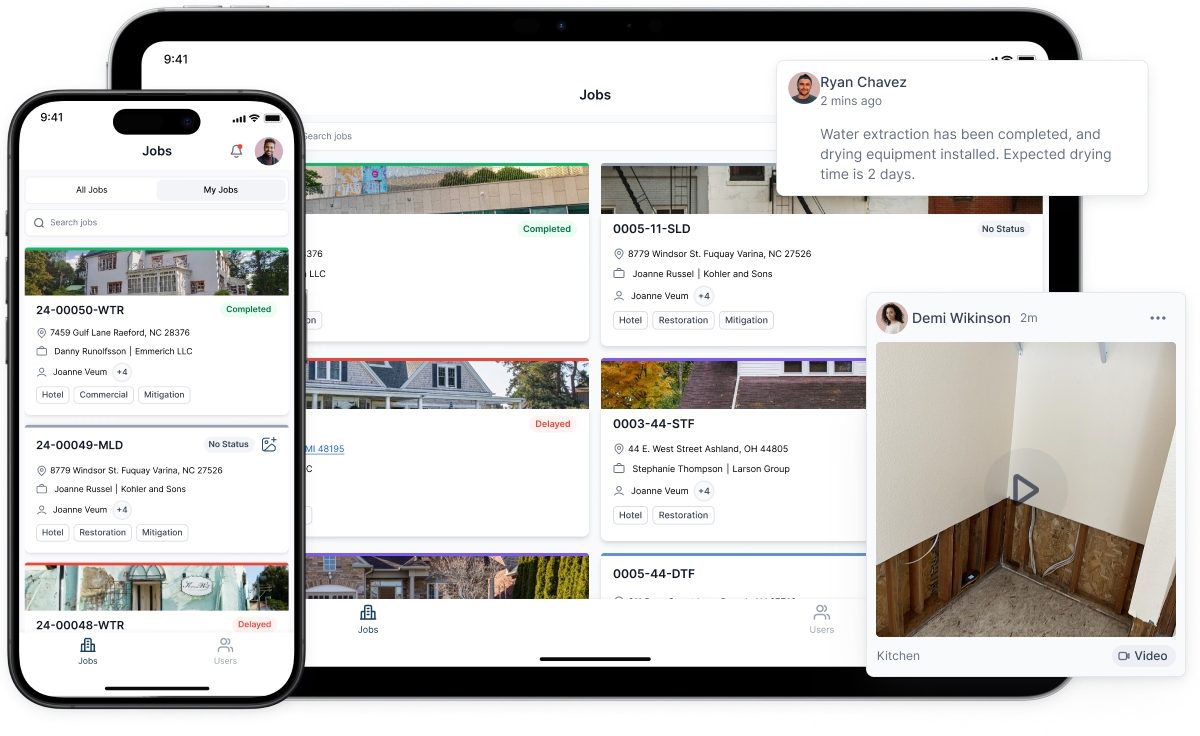
When water damage logs feed directly from a technician's phone into the job file — timestamped, GPS-tagged, attached to the specific affected area — the estimator can begin scoping on day three instead of day seven. On a 30-job month, that compression alone can shift average cycle time by five to eight days.
The Four Functions Worth Paying For
Not every feature in a restoration software platform earns its subscription cost. These four do.
Automated Water Damage Logs
Manual moisture logs get lost, misread, and — occasionally — reconstructed from memory when a carrier requests documentation. Digital water damage logs that sync to the job record in real time solve all three problems at once. More practically, they give the Xactimate estimator the exact number of drying days, the affected materials, and the equipment deployed — the three inputs carriers scrutinize most heavily during desk reviews. A log that shows a consistent psychrometric drying curve is far harder to dispute than a handwritten sheet photographed on day twelve.
Scope-to-Estimate Workflow Integration
The friction point most companies underestimate is the handoff between field documentation and Xactimate estimates. When a project manager documents scope in one system and an estimator rebuilds it from scratch in Xactimate, line items get dropped. Not because anyone is careless — because translation between systems always loses fidelity.
Platforms that push field-documented scope items directly into an Xactimate-compatible format, or that maintain a structured restoration scope template the estimator refines rather than rebuilds, consistently produce more complete estimates. "More complete" means fewer adjuster supplements, which means faster payment cycles.
Job-Phase Cycle Time Dashboards
Aggregate cycle time tells you there's a problem. Phase-level data tells you where. A dashboard that breaks cycle time into mitigation, documentation, estimate submission, adjuster response, and payment stages will show you, for example, that your mitigation phase averages four days but your estimate submission phase averages eleven. That eleven-day number is where you intervene — not by working harder, but by identifying the specific bottleneck (estimator backlog, missing documentation, scope disputes) and addressing it directly.
This is also where restoration marketing software plays a quieter but real role. When your CRM tracks referral source alongside job outcome data, you can see which plumbers, property managers, or agents are sending you jobs that close cleanly versus jobs that drag into supplementing battles. That data shapes where you invest relationship-building time.
Document and Photo Management Tied to Line Items
Carriers increasingly require photo documentation tied to specific line items, not a folder of 200 job-site images. Software that lets a technician tag a photo to "remove and reset cabinetry — kitchen" at the time of capture is worth considerably more than software that stores photos in a generic gallery. When a desk adjuster questions a line item six weeks after mitigation, the answer is a single click rather than a 45-minute search through an unorganized photo library.
Where Most Implementations Fail
The majority of restoration companies that invest in project management software and see little return made the same mistake: they configured the software to match their existing process rather than using the implementation as an opportunity to fix the process.
If your existing process has technicians calling in moisture readings verbally, and you simply add a step where they also type those readings into an app, you've added friction without removing any. The implementation that works reengineers the step: the technician enters readings once, in the field, in the software, and that single entry becomes the moisture log, the drying report, and the documentation for the Xactimate estimate simultaneously.
That requires about two weeks of deliberate retraining and usually some resistance from senior technicians who have done it the old way for years. It pays back within 60 days in reduced administrative hours and faster estimate turnaround.
Choosing Between Platforms: The Three Questions That Matter
There are several credible restoration software platforms on the market. The choice between them matters less than most vendors suggest. What matters more is asking three specific questions before you sign anything.
Does it integrate with Xactimate, or does it require manual re-entry? Any platform that requires your estimator to manually transfer field data into Xactimate estimates is adding a step that will be skipped under deadline pressure. Integration is not a bonus feature — it's a baseline requirement.
Can field staff use it on a phone without training beyond 30 minutes? Technicians are not software users by trade. If the mobile interface requires more than a brief orientation, adoption will be inconsistent, and inconsistent adoption produces incomplete data, which defeats the purpose entirely.
What does the reporting actually show? Ask the vendor to demonstrate a live cycle time report broken down by job phase and by job source. If they can't show you that in under three clicks, the reporting is not built for operational decisions — it's built for sales demos.
The Compounding Effect on Carrier Relationships
There's a less-discussed benefit to running tight, well-documented jobs: adjusters remember you. Not personally, necessarily, but statistically. A contractor whose Xactimate estimates consistently arrive complete, whose water damage logs are clean and timestamped, and who supplements rarely and only with airtight documentation gets processed faster. Desk reviewers have discretion in how much scrutiny they apply, and a track record of clean submissions earns less scrutiny over time.
That reputation is built job by job. Restoration project management software doesn't build it for you — but it removes the operational friction that prevents your team from building it themselves.
A Practical Starting Point
If you're evaluating whether your current setup is working, pull your last 30 closed jobs and calculate phase-level cycle time manually. Specifically: how many days elapsed between job open and estimate submission? If that number is over seven days on average for water losses, you have a documentation-to-estimate handoff problem that software can directly solve. If it's under seven days but your supplement rate is above 30%, the problem is scope completeness — and that points to how your field teams are documenting the restoration scope, not how fast they're doing it.
Either diagnosis leads to the same place: a clearer picture of exactly which part of your operation the right software investment should target.


