
Water Damage Software: The Features That Cut Cycle Time and Protect Your Scoped Dollars
The Metric Most Restoration Companies Track Too Late
Cycle time — the span from first call to closed file — is the single number that determines whether a restoration company scales or stalls. Most owners know their average. Almost none know where inside a job it bleeds. That gap is exactly what water damage software is built to close, and it is the only honest reason to evaluate it.
This is not a pitch for digitizing paperwork. It is a practical look at which software capabilities actually shorten cycle time, protect scoped dollars through carrier review, and give a growing company the operational structure it needs before headcount forces the issue.
What "Water Damage Software" Actually Covers
The category is messier than vendors admit. A single platform marketed as water damage software might include job management, customer communication, equipment tracking, Xactimate estimate integration, and marketing automation — or it might do only two of those things well and gesture at the rest. Before comparing products, it helps to separate the functional layers:
- Job and project management — task assignment, phase tracking, subcontractor coordination, document storage.
- Water damage logs — daily psychrometric readings, equipment placement records, drying chamber documentation, and the photo timestamps that support those readings.
- Estimation integration — the pipeline between field measurements and Xactimate estimates, including sketch imports, line-item libraries, and carrier submission workflows.
- CRM and communication — lead intake, referral source tracking, adjuster contact history, and policyholder-facing updates.
- Marketing and pipeline — source attribution, review requests, and the reporting that tells you which referral relationships are actually producing revenue.
Most companies need all five layers. The question is whether one platform handles them adequately or whether a best-of-breed stack — connected by integrations — serves better. There is no universal answer, but the decision framework is straightforward: if your team is under fifteen people and your tech tolerance is low, a single platform with acceptable depth beats a sophisticated stack nobody uses correctly.
Water Damage Logs: The Documentation Layer That Wins or Loses Disputes
Adjusters do not dispute drying. They dispute documentation of drying. A job where a technician ran three LGR dehumidifiers for five days is indistinguishable, on paper, from a job where the equipment sat idle — unless the water damage logs are timestamped, geo-tagged, and tied to daily psychrometric readings that show a credible drying curve.
Software that captures logs in the field — through a mobile app that records grain-per-pound readings, equipment serial numbers, and room temperatures at each visit — produces a defensible record automatically. The alternative is a technician filling out a paper form at the end of a shift, which produces a record that an experienced desk adjuster will question on sight.
The practical standard: every log entry should carry a timestamp, a GPS coordinate or property address confirmation, the technician's ID, and a photo of the moisture reading on the meter display. Platforms that enforce this structure at the point of entry eliminate the retrofit problem — the scramble to reconstruct documentation after a carrier requests it.
Xactimate Estimates and the Integration That Actually Matters
Xactimate estimates are the financial core of most residential and commercial water claims. The estimate either holds through carrier review or it gets cut, and the difference usually comes down to scope completeness and line-item support — not negotiating skill.
Where software helps is in the handoff between field documentation and the estimate. When a project manager sketches a loss in the field, that sketch should flow directly into Xactimate without being redrawn by an estimator working from notes. When a technician logs a Category 2 intrusion affecting a finished basement, the affected materials and required drying equipment should populate a line-item checklist automatically — not because the software writes the estimate, but because it prevents the estimator from missing scope items that were documented in the field but never made it to the desk.
The integrations worth paying for: direct sketch-to-Xactimate export, a line-item library tied to your documented scope categories, and a review step that flags line items present in the field log but absent from the draft estimate. That last feature alone recovers more margin than most companies realize they are losing.
Restoration Project Management Software: Where Cycle Time Actually Breaks
A typical water loss moves through eight to twelve distinct handoffs: first call, inspection, mitigation start, equipment set, daily monitoring, equipment pull, reconstruction scope, estimate submission, carrier approval, and final billing. Each handoff is a place where a job can sit for a day or a week with no one noticing.
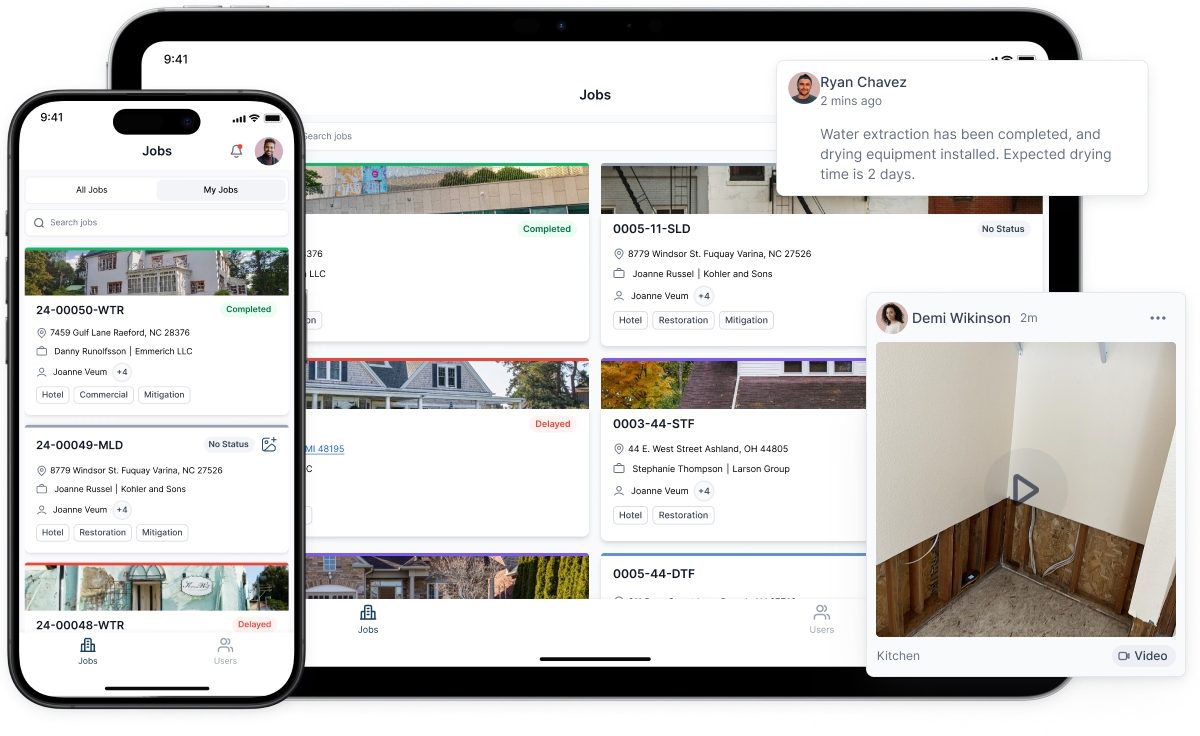
Restoration project management software makes those gaps visible. A dashboard that shows every open job by phase, with a flag on anything that has not advanced in forty-eight hours, gives an operations manager the ability to intervene before a delay becomes a complaint or a supplement fight. Without that visibility, the manager learns about the stuck job when the policyholder calls.
The specific features that move cycle time: automated task triggers (when mitigation is marked complete, reconstruction scope is automatically assigned), SLA timers on each phase, and a daily digest that surfaces overdue steps without requiring anyone to manually audit the job list. These are not exotic capabilities. They are standard in mature platforms and missing from entry-level tools that look similar in a demo.
CRM for Restoration Companies: What It Should Actually Do
A restoration CRM that functions as a contact database with a notes field is not a CRM — it is a spreadsheet with a logo. A restoration CRM worth its subscription cost does three things that a spreadsheet cannot: it tracks every touchpoint with a referral source over time, it attributes closed revenue to the marketing activity that produced it, and it automates the follow-up sequences that keep a plumber or property manager sending you work instead of your competitor.
For companies running a managed repair program or a preferred vendor agreement with a carrier, the CRM layer also handles adjuster contact history — who approved what, on which claims, with what notes. That institutional memory is invisible when it lives in a project manager's email and irreplaceable when that project manager leaves.
The restoration CRM evaluation question is not "does it have a contact record for every adjuster we work with?" It is "does it tell me, in thirty seconds, which of those adjusters has sent us a job in the last ninety days and which ones we have gone quiet on?"
Restoration Marketing Software: The Attribution Problem
Most restoration companies spend money on marketing and have no reliable way to know which spend is working. A job that came in through a Google search, was nurtured by a sales rep over three lunches, and closed because an adjuster recognized the company name from a trade association event — that job has three plausible attribution sources. Without restoration marketing software that tracks source from first contact to closed revenue, the owner guesses, usually crediting the last touchpoint.
The practical fix is a source field on every lead record, enforced at intake, combined with a closed-revenue report filtered by source. It does not require a sophisticated attribution model. It requires discipline at data entry and a platform that makes the report easy to pull. Companies that do this for twelve months typically find that one or two referral channels produce sixty to seventy percent of revenue — and that they have been spending time and money on channels that produce almost none.
Choosing a Platform: The Three Questions That Cut Through the Demo
Every platform looks capable in a vendor-run demo. The questions that reveal real-world fit are the ones vendors answer slowly:
How does a field technician log a psychrometric reading without a WiFi connection? If the answer involves waiting for connectivity to sync, your logs have gaps on every job in a basement or rural property.
What happens to our data if we cancel? A platform that exports your job history, water damage logs, and customer records in a portable format is a vendor you can leave. One that does not is a vendor you are locked into.
Show me the cycle time report on a real account. Not a mockup. Not a sandbox with sample data. A real account, with real jobs, showing where time was lost. If the vendor cannot produce that in the demo, the report either does not exist or does not work as described.
The companies that get the most from water damage software are not the ones that buy the most features. They are the ones that pick a platform with genuine depth in the two or three areas that match their actual operational pain — logging, estimation, or pipeline visibility — and use those features completely before adding more.


