
Restoration Management Software: The Configuration and Metrics That Actually Drive Results
The Number Your Software Should Surface First — and Usually Doesn't
Most restoration contractors who switch management platforms spend the first three months configuring dashboards. They set up job stages, connect their email, maybe pull in a Quickbooks integration. Then they run the same business they ran before, just with a cleaner inbox.
The platform didn't fail them. They never asked it the right question.
That question is: where, exactly, does a job stop moving? Not "how long does a job take" — that number hides everything. The useful number is the average time a job sits idle between two specific stages: say, between "moisture readings complete" and "scope submitted to carrier." For most mid-size restoration companies, that gap runs three to five days. For a company doing 40 jobs a month, closing it to one day recovers somewhere between $15,000 and $30,000 in faster cash flow annually — without adding a single new job.
That is what restoration project management software is actually for. Not paperwork. Not a digital filing cabinet. The operational leverage is in the transitions, and the only way to see them is to instrument every stage.
What the Software Stack Actually Looks Like
Restoration operations run on three distinct software layers, and conflating them is what leads to buying the wrong tool — or buying three tools that don't talk to each other.
Layer one is the CRM. A restoration CRM handles lead intake, referral source tracking, first notice of loss, and the initial assignment of a project manager. The metric it owns is lead-to-job conversion rate, broken down by source. If you're spending $4,000 a month on a plumber referral program and your CRM shows a 12% conversion rate from that source versus 34% from adjuster relationships, that's a budget decision made easy.
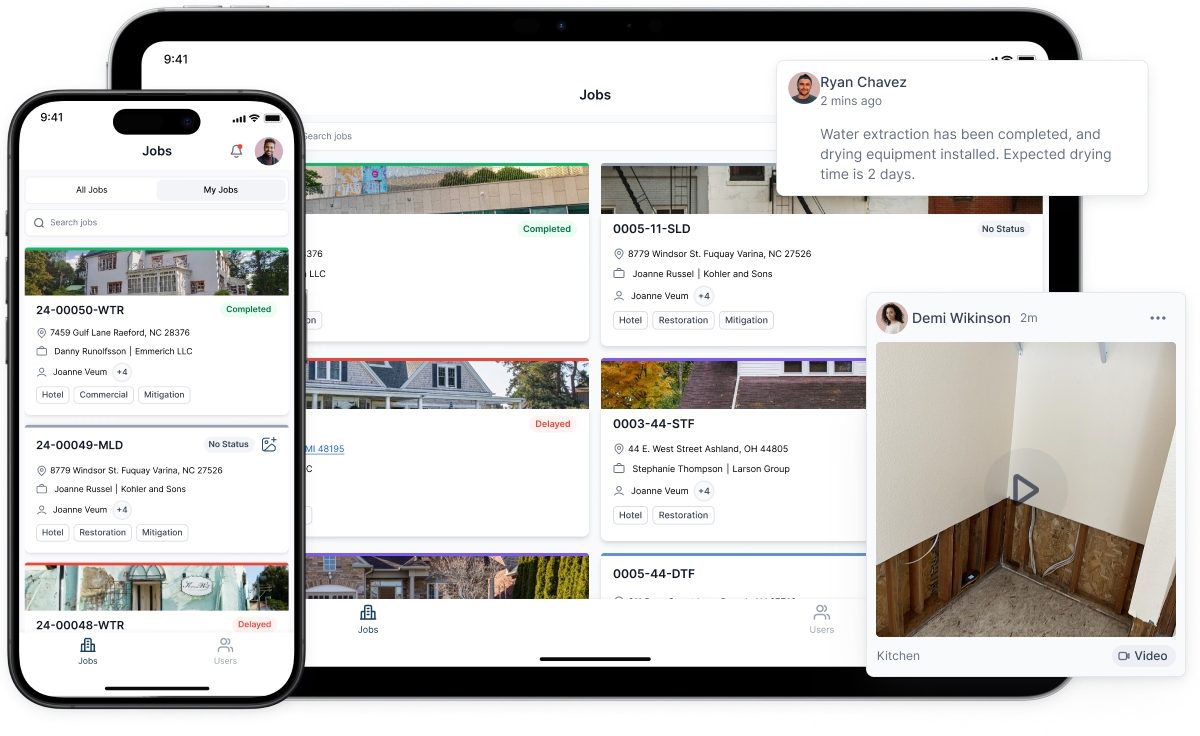
Layer two is project execution. This is where restoration project management software lives — job costing, crew scheduling, equipment tracking, photo documentation, subcontractor coordination, and the stage pipeline that surfaces those idle-time gaps. The metric it owns is cycle time by job category.
Layer three is estimation and billing. This is where your restoration scope gets built, priced, and submitted. Most carriers operate on Xactimate pricing, so the software in this layer either produces Xactimate-formatted output natively or exports to it cleanly. A remote xactimate estimate — scoped from photos, moisture maps, and field notes without a second site visit — only works if the documentation from layer two is complete and structured. Sloppy field notes produce sloppy remote scopes, and sloppy scopes get cut.
Some platforms attempt all three layers. Some do one well and integrate with specialists for the others. Neither approach is universally correct — it depends on your volume, your team's technical tolerance, and which layer is currently bleeding the most margin.
Where Restoration CRM Features Actually Pay Off
The restoration CRM conversation usually gets stuck on contact management and follow-up reminders, which undersells what the category can do.
The highest-value CRM function for a restoration company is referral source attribution tied to job margin, not just job count. A property manager who sends 10 jobs a year at an average job value of $4,200 looks worse than a plumber who sends 15 jobs at $3,800 — until you factor in that the property manager jobs close in 18 days and the plumber jobs average 31 days, and two of them went to supplement disputes. On a margin-per-day basis, the property manager relationship is worth more. A CRM that tracks source, job value, cycle time, and supplement rate together makes that visible. Most don't, because most restoration companies never configure them to.
Restoration marketing software sits adjacent to the CRM and handles the outbound side: email sequences to adjusters and property managers, review request automation after job close, and sometimes paid digital campaign tracking. The practical value isn't in the automation itself — it's in having a documented, repeatable contact cadence that doesn't depend on a single business development rep remembering to make calls. When that rep leaves, the program doesn't leave with them.
The Scope Is Where Money Gets Left or Lost
A restoration scope is a line-item description of every task required to return a property to pre-loss condition, priced at carrier-accepted rates. Every dollar you don't write into the scope is a dollar you will not get paid. Every line item you write without adequate documentation is a dollar the adjuster will cut.
The two most common scope failures are omission and weak documentation — and both are upstream problems that software can prevent if it's configured to catch them.
Omission happens when field techs document what they did but not what the conditions required. A tech who logs "removed 200 sq ft of wet drywall" without logging the moisture readings that justified full removal gives an adjuster a clean reason to reduce the line item. The fix is a required-field workflow in your project management software: moisture readings gate the removal documentation, and removal documentation gates the scope line item. No reading, no line item gets created. That sounds rigid, but it produces scopes that hold.
The remote xactimate estimate model — where an estimator scopes a job from structured field documentation rather than a second site visit — accelerates this further. A skilled remote estimator working from complete photo sets, moisture maps, and equipment logs can turn a scope in four to eight hours instead of scheduling a return visit two days out. The catch is that "complete" is non-negotiable. One missing moisture map and the scope either gets delayed or goes out with a gap the adjuster will find.
Platforms that integrate field documentation directly into scope generation — where a documented moisture reading in the project record auto-populates the corresponding Xactimate line item — cut both the turnaround time and the error rate. That integration is worth more than almost any other feature on a vendor's checklist.
How to Evaluate a Platform Without Getting Sold a Demo
Sales demos show you the best path through the software. Due diligence means finding the rough edges.
Ask four specific questions before any purchase decision:
- What does the stage transition report look like, and how far back does it go? If the platform can't show you average time between every pair of adjacent stages across 12 months of jobs, it can't help you find your idle time problem.
- How does a remote xactimate estimate get built from field data in your system? Walk through the actual workflow. If the answer involves exporting a PDF and re-entering data manually, that's a two-platform problem, not an integration.
- What does the referral source margin report look like? Not job count — margin. If they can't show it, your restoration CRM won't surface the attribution data that makes marketing decisions defensible.
- What's the median time to full deployment for a company our size? Not "go-live" — full deployment, meaning the team is using every module and the reports are populated with real data. The honest answer is usually 60 to 90 days. Anyone who says two weeks is selling you the demo path again.
The Configuration Work Nobody Mentions
Restoration software doesn't arrive configured for restoration. It arrives configured for generic service businesses, with field labels that say "customer" instead of "insured," stage names that say "proposal sent" instead of "scope submitted to carrier," and report templates built around revenue rather than cycle time and supplement rate.
The companies that get the most out of their platforms spend the first 30 days doing nothing but configuration: renaming every field to match restoration vocabulary, building stage pipelines that reflect their actual job categories (water, fire, mold, contents each move differently), and setting up the three or four reports they will actually look at every week. That work is not glamorous and it doesn't show up in any demo. It also determines whether the software changes how you run jobs or just changes where you store files.
If your current platform has been live for more than six months and you still can't answer "what is our average cycle time for Category 2 water jobs above $10,000" in under 60 seconds, the configuration work hasn't been done. That's the benchmark. Not the feature count — the answer time.
One Decision Framework Before You Switch
Before migrating platforms, run this exercise: pull your last 50 closed jobs and calculate the average number of days between scope completion and carrier payment. Then identify the three jobs with the longest gaps and trace each one back through your current system to find where it stalled. If you can't do that trace — if your current software doesn't have the data — that's your answer. The problem isn't the features you don't have. It's the visibility you've never had.
The right restoration software gives you that visibility first. Everything else — the CRM workflows, the remote estimate integrations, the marketing automation — builds on top of a foundation where you can see exactly where jobs stop moving and why. Without that foundation, you're optimizing the parts of the operation that were already working.


