
Restoration Management Software: How to Cut Cycle Time and Protect Every Dollar You Scope
The Metric Most Restoration Owners Ignore Until It's Too Late
Cycle time — the number of days between "loss reported" and "final invoice paid" — is the single number that determines whether a restoration company grows or quietly bleeds out. Most owners track revenue. Very few track cycle time with the same rigor. When that number climbs past 45 days on a residential water loss, cash flow tightens, technicians sit idle waiting on approvals, and the carrier relationship that took three years to build starts to fray.
Restoration project management software doesn't fix cycle time by magic. But the right platform, used correctly, removes the five or six specific friction points that inflate it. This article breaks down exactly where those friction points live and how modern software addresses each one — so you can evaluate tools against real operational problems rather than feature checklists.
Why Spreadsheets and Group Texts Stop Working at Scale
A two-truck operation can run on spreadsheets, text threads, and a shared Google Drive. The owner knows every job, every tech, every deadline. Nothing falls through the cracks because the owner personally catches it.
Add a third truck and a project manager, and that system starts to crack. Add a fifth truck and a dedicated estimator, and it collapses. The reason isn't that the team got sloppy — it's that the information architecture that worked for one person doesn't distribute across four. A tech updates a water damage log on a paper form. The PM re-enters it into a spreadsheet. The estimator pulls numbers from the spreadsheet to build xactimate estimates. The carrier asks for a revised scope. Someone edits the wrong version of the file. Now two people are working from different data.
That sequence — data entered, re-entered, siloed, and then mismatched — is where most mid-size restoration companies lose two to four days per job. Multiply that by 40 active jobs and you have 80 to 160 days of unnecessary cycle time sitting in your pipeline right now.
What Restoration Software Actually Centralizes
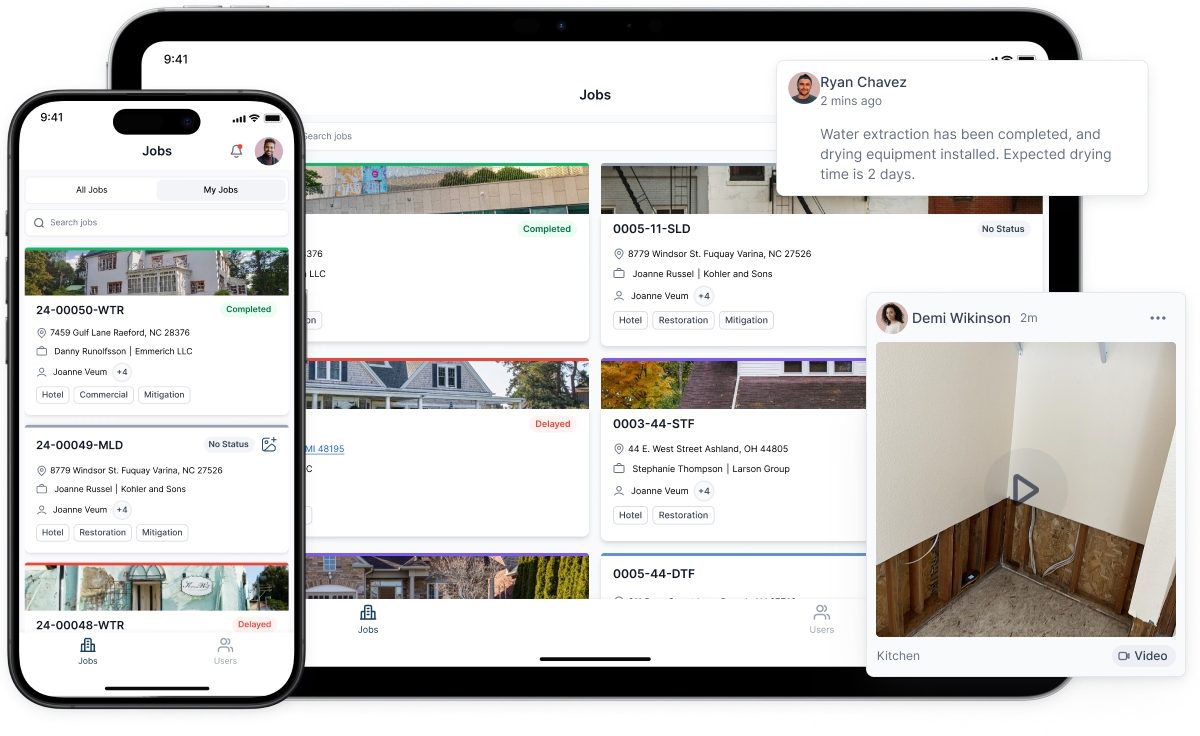
The core value of any serious restoration software platform is a single source of truth for every job. That sounds obvious, but the implementation details matter.
The best platforms connect four data streams that traditionally live in separate places:
- Field documentation — moisture readings, equipment placement, daily water damage logs, and photos captured by technicians on-site and synced in real time.
- Scope and estimation — the restoration scope built from field data, tied directly to Xactimate line items, with version history so you can see exactly what changed and when.
- Communication — carrier correspondence, homeowner updates, subcontractor assignments, and internal notes threaded to the specific job rather than scattered across email inboxes.
- Billing and documentation — certificate of completion, certificate of satisfaction, final invoice, and all supporting documentation packaged and sent without anyone hunting through folders.
When these four streams feed one system, a project manager opening a job file sees everything: where the drying is, what the scope says, what the adjuster last asked for, and what's outstanding before the file can close. That visibility alone cuts the "I need to track someone down" delays that inflate cycle time.
The Estimation Bottleneck and the Remote Xactimate Estimate
Estimation is where many restoration companies lose the most time without realizing it. A certified estimator drives to a job site, spends 45 minutes measuring and documenting, drives back, and then spends another two hours building the Xactimate estimate from notes and photos. For a company running 15 or more simultaneous jobs, that estimator becomes the bottleneck for the entire operation.
The remote xactimate estimate model changes that math. When field technicians capture structured data — room dimensions via a scanning app, moisture readings logged to a digital form, photos tagged by location — a certified estimator can build or review the scope without leaving the office. Some platforms integrate directly with Xactimate, pulling field measurements into the sketch tool and populating line items from documented conditions.
The practical result: an estimator who previously handled 8 to 10 jobs per week can handle 18 to 22. The field tech becomes the eyes; the estimator becomes the writer. That division of labor doesn't require hiring — it requires the right data pipeline between field and office.
One important caveat: remote estimation works only when field documentation is disciplined. If a tech logs "wet drywall in hallway" without specifying linear feet, affected height, and whether the baseboard was removed, the estimator is guessing. Platforms that enforce structured data entry — required fields, photo prompts, mandatory moisture reading counts — produce documentation tight enough to support a defensible remote xactimate estimate. Platforms that allow free-form notes do not.
Writing a Restoration Scope That Survives Desk Review
An adjuster's desk reviewer has 200 files open. They are not reading your scope for context — they are scanning it for line items that look unsupported. If your restoration scope doesn't directly tie each line item to documented conditions, that item gets flagged, the file gets kicked back, and you lose another week.
Good restoration project management software enforces the documentation-to-scope link at the point of entry. When a tech logs that 240 square feet of Category 2 water-affected flooring was extracted and dried over four days, that log should be the source document for the corresponding Xactimate line items: water extraction, drying equipment placement, daily monitoring, and flooring removal if it occurred. The adjuster can follow the chain from the invoice line item back to the timestamped field entry.
This traceability is what separates a scope that pays on first submission from one that generates three rounds of supplemental requests. Supplements aren't just annoying — each round adds 5 to 10 days to cycle time and costs real labor hours to produce.
Specific line items that most frequently trigger desk review challenges include:
- Contents manipulation and pack-out without an itemized inventory
- Antimicrobial application without documentation of Category 2 or 3 conditions
- Dehumidifier and air mover counts that don't match the documented square footage and drying standard (S500)
- Temporary repairs billed without photos showing the pre-repair condition
Software that generates a structured daily water damage log — with equipment serial numbers, placement locations, and moisture readings against a drying goal — gives the estimator exactly what they need to defend each of these line items without additional back-and-forth.
How to Evaluate a Platform Before You Buy
Most software demos show you the best-case workflow. The vendor walks you through a clean job with complete documentation, a cooperative adjuster, and a straightforward scope. That is not your Tuesday.
Ask vendors these questions instead:
- What happens when a tech submits incomplete field documentation? Does the system flag it, hold the job, or let it pass through?
- How does the platform handle a supplement request mid-job? Can the estimator add line items to an existing Xactimate estimate and push a revised scope to the carrier without rebuilding the file?
- What does the water damage log export look like? Can an adjuster read it without training, or does it require interpretation?
- Does the platform integrate with your accounting software, or does someone re-enter invoice data manually?
- What is the average onboarding time to full adoption for a field tech with no prior software experience?
The last question matters more than most owners expect. A platform your techs don't use is worse than no platform at all — you pay the subscription and still run on paper.
The Adoption Problem and How to Solve It
Field technicians are not software people. They are skilled tradespeople who are already managing physical work, customer interactions, and safety protocols. Adding a new app to that workload will fail if the interface requires more than three taps to log a moisture reading.
The companies that achieve full adoption share one practice: they make the software the path of least resistance, not an additional task. That means pre-configured job templates so a tech opening a new water loss sees exactly what fields to fill in. It means offline functionality so readings logged in a basement with no cell signal sync when the tech walks outside. It means photo capture built into the logging workflow, not a separate step.
One mid-size restoration company in the Pacific Northwest reported that adoption jumped from 40% to 91% after they stopped asking techs to log data and started requiring that equipment placement be confirmed in the app before the job was considered active in the billing system. The software became the gate to getting paid, not an optional extra step.
What to Expect After 90 Days
If implementation is done properly — consistent field documentation, estimators using the platform for all xactimate estimates, project managers closing jobs through the system rather than around it — the operational changes are measurable within a quarter.
Typical outcomes reported by companies that have made the transition fully:
- Cycle time reduction of 8 to 14 days on residential water losses
- First-submission approval rates improving from roughly 60% to 80% or higher
- Estimator capacity increasing by 40% to 60% through remote xactimate estimate workflows
- Supplement approval time dropping because documentation is already in the file
None of these outcomes happen because the software is sophisticated. They happen because the software forces discipline that previously depended on individual habits. When the system requires a complete water damage log before a job can advance, every job gets a complete water damage log. That consistency is what carriers reward.
The decision isn't whether restoration software is worth the cost. For any company running more than five simultaneous jobs, the cycle time savings alone cover the subscription. The real decision is which platform fits your field team's workflow and your estimator's process — and whether you're willing to enforce adoption until it becomes habit.


