
Xactimate Estimates: The Hidden Patterns in Adjuster Pushback and How to Stop Them Before They Start
The Estimate That Looked Right and Still Got Cut
A restoration contractor in Phoenix submitted a $47,000 Xactimate estimate for a Category 2 loss — burst supply line, finished basement, two affected rooms. The adjuster came back at $31,000. Nothing on the scope was fabricated. The drying equipment was on-site and logged. The demo was photographed. Yet $16,000 evaporated in the desk review.
The problem wasn't the numbers. It was the narrative structure of the estimate itself. Line items existed without the documentation chain that makes them defensible. The adjuster had a reason to question, and the estimate gave no reason to stop questioning.
That gap — between an estimate that is technically accurate and one that actually holds — is where most restoration companies lose money quietly, job after job, without ever identifying the pattern.
Why Xactimate Estimates Fail Desk Reviews (It's Rarely the Price)
Xactimate's pricing database is carrier-accepted. When an adjuster cuts a line item, they're almost never arguing that the Xactimate unit price is wrong. They're arguing one of three things: the item wasn't necessary, the quantity is unsupported, or the scope doesn't match the documented conditions.
Each of those objections has a specific fix.
Necessity challenges happen most often on line items that feel discretionary to a desk adjuster who wasn't on-site — HEPA vacuuming, antimicrobial application, content manipulation, equipment mobilization fees. The fix is a cause-and-effect statement in the scope notes, not just the line item. "Antimicrobial applied to subfloor per IICRC S500 Section 12.3.4 due to Category 2 source and 72-hour saturation period" survives a desk review. "Antimicrobial – 1,200 SF" does not.
Quantity challenges are almost always a documentation problem. If your drying logs show equipment placed in Room A and Room B, but your Xactimate estimate includes LGR dehumidifiers for three zones, an adjuster will cut the third without asking a question. Moisture maps, sketch dimensions, and equipment placement photos need to match the scope exactly. When they do, the quantity becomes self-evident.
Scope-condition mismatches are the most expensive and the most preventable. These occur when the written scope describes conditions the photos don't confirm, or when the estimate is written from memory rather than from field documentation. A remote Xactimate estimate written by an estimator who wasn't on-site is especially vulnerable here — which is why the documentation package the field team sends back has to be built to carry the full weight of the scope.
Building a Documentation Package That Writes the Scope for You
The best Xactimate estimators aren't faster at Xactimate — they're better at extracting information from the field. When the documentation is complete, the scope almost writes itself. When it isn't, the estimator fills gaps with judgment calls that adjusters later pick apart.
A defensible documentation package for a water loss includes:
- Moisture readings at every affected material, mapped to a room sketch with sensor locations marked
- Photos of each affected surface before, during, and after demo — labeled by room and material type
- Equipment placement photos with serial numbers visible, timestamped and geotagged if possible
- Daily drying logs tied to specific equipment and specific rooms, not a single aggregate sheet
- A written source description: where the water originated, how long it ran, what path it took
That last item matters more than most contractors realize. An adjuster reading a scope for a loss that ran 18 hours before discovery will read every affected material differently than one who assumes a 2-hour event. If your scope doesn't state the timeline, the adjuster assumes the shorter one.
The Remote Estimate Problem — and the Workflow That Solves It
Remote Xactimate estimates have become standard at many mid-size and larger restoration companies. An estimator works from photos, sketches, and moisture data rather than visiting every job. The efficiency gain is real. So is the risk.
The risk isn't that remote estimators are less skilled. It's that the information transfer between field tech and estimator is almost always lossy. A tech takes 40 photos. Fifteen are useful. The estimator sees the 15 and doesn't know what the other 25 would have shown. Affected areas get missed. Line items that require a visual condition — efflorescence on block, delamination on hardwood, mold on the backside of drywall — don't make it into the scope because nobody photographed them specifically.
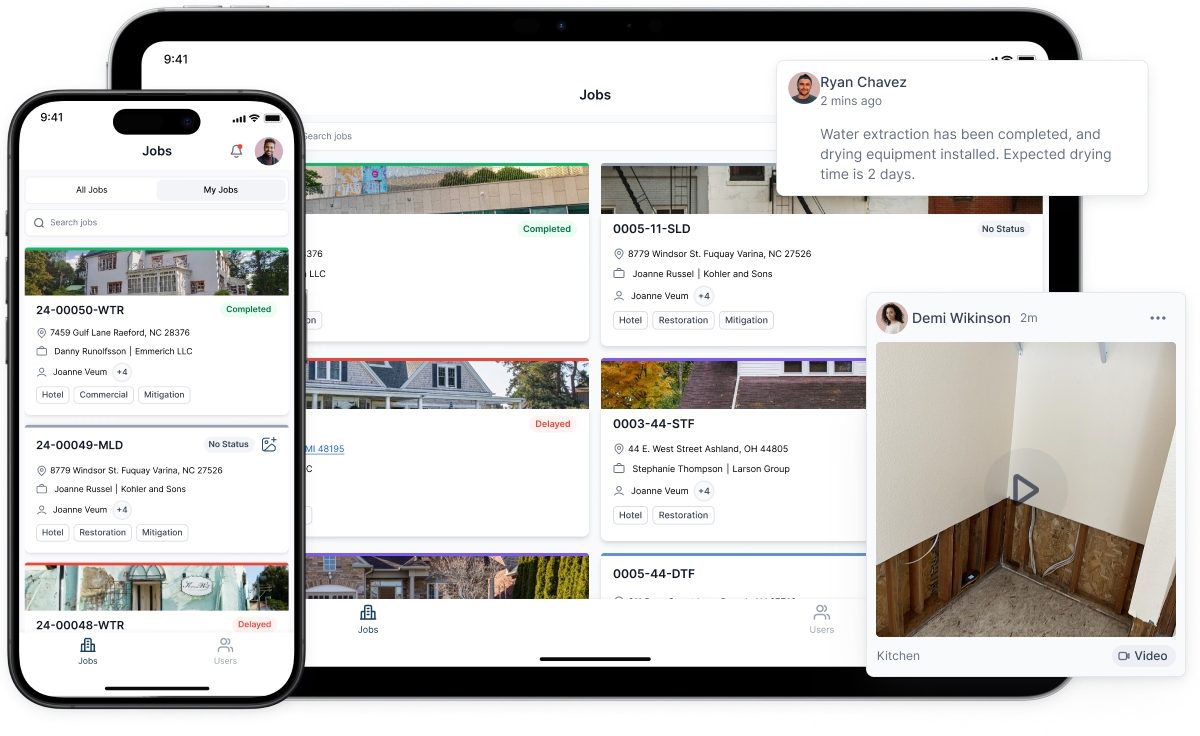
The fix is a standardized field capture protocol, not a reminder to "take more photos." Specific rooms, specific materials, specific angles — defined in advance, checked against a field capture checklist before the tech leaves the site. Restoration project management software that includes mobile field documentation tools can enforce this protocol at the job level, flagging incomplete documentation before the file ever reaches the estimator's queue.
When a restoration CRM ties field documentation directly to the job record — with photos, moisture logs, and equipment data all attached to the same project file — the estimator opens one source of truth instead of hunting through texts, emails, and shared drives. That alone cuts estimate write time and reduces the back-and-forth that delays supplement approvals.
Supplements: When to Write Them and How to Frame Them
A supplement isn't an argument. It's a correction to the record. That framing matters because it changes how you write the cover note and what documentation you lead with.
The most winnable supplements involve hidden damage discovered during demo — subfloor saturation that wasn't visible until carpet was pulled, insulation behind walls that tested wet, structural members that required additional drying time. These are genuinely new facts, and adjusters expect them on water losses. A supplement that opens with "Upon removal of flooring, moisture readings of 28% WME were recorded at the subfloor in the NW quadrant of the master bedroom (see photo MBR-Demo-07 and attached moisture log)" moves faster than one that opens with a paragraph explaining why supplements happen.
Supplements that stall are usually ones that try to re-argue items from the original estimate. If an adjuster cut your content manipulation charge and you resubmit it with the same line item and a cover note saying it was necessary, you'll get the same answer. A winning supplement on a previously denied item needs new documentation — a photo that wasn't in the original package, a statement from the field tech, a reference to a specific IICRC or ANSI standard that makes the item non-discretionary.
Where Restoration Project Management Software Changes the Estimate Outcome
Most discussions of restoration project management software focus on scheduling, crew dispatch, and customer communication. Those are real benefits. But the less-discussed benefit is what good software does to estimate defensibility.
When job documentation lives in a structured system — not a folder of photos on someone's phone — every piece of evidence is timestamped, attributed, and retrievable. When a CRM for restoration companies links the initial loss report, the field documentation, the Xactimate estimate, and the adjuster correspondence into a single job record, the supplement process changes. Instead of rebuilding the documentation case from scratch, you pull from a complete record.
More concretely: a contractor using integrated restoration project management software can pull the moisture log for Job #4471, see that the LGR in Room 2 ran for 11 days rather than the 7 the adjuster approved, attach the daily readings, and submit a supplement with a complete evidentiary record in under an hour. The same task without that infrastructure takes a morning and still produces a weaker package.
The connection between a restoration CRM and Xactimate estimates isn't theoretical. It's a direct line from how well you capture field data to how much of your scope you collect.
The One Habit That Separates Estimators Who Hold Their Numbers
Read your own estimate as an adjuster who wasn't on-site and has 12 minutes to review it.
For every line item above $500, ask: does this estimate give me a specific reason this was necessary, a documented quantity, and at least one photo that confirms the condition? If the answer is no on any of those three, the item is vulnerable.
This isn't about padding documentation. It's about making the adjuster's job easier by removing every question before it gets asked. An estimate that answers its own objections doesn't get cut — not because the adjuster is satisfied, but because there's nothing left to question.
That's the standard worth building toward: not faster estimates, but estimates that hold.


