
Restoration Management Software: What Actually Moves Cycle Time and Earns Its Cost
The Metric Most Restoration Companies Track Too Late
Cycle time — the number of days between first contact and final invoice — is the single number that separates profitable restoration companies from ones that are always busy but never quite ahead. The average residential water loss takes 21 to 28 days to close. Companies running their operations on spreadsheets, email threads, and paper moisture logs routinely add five to ten days to that window through nothing more than coordination lag. That lag costs real money: a technician waiting on a signed authorization, an adjuster waiting on water damage logs, an estimator rebuilding a scope from field notes because nobody synced the job file.
Restoration management software exists to close that gap. But the category has matured enough that "get software" is no longer the decision — the decision is which capabilities actually move cycle time, which ones are marketing features you'll never use, and how the pieces connect. Here is a clear-eyed look at what the tools do, where they earn their cost, and how to evaluate them against your own operation.
What Restoration Management Software Actually Does
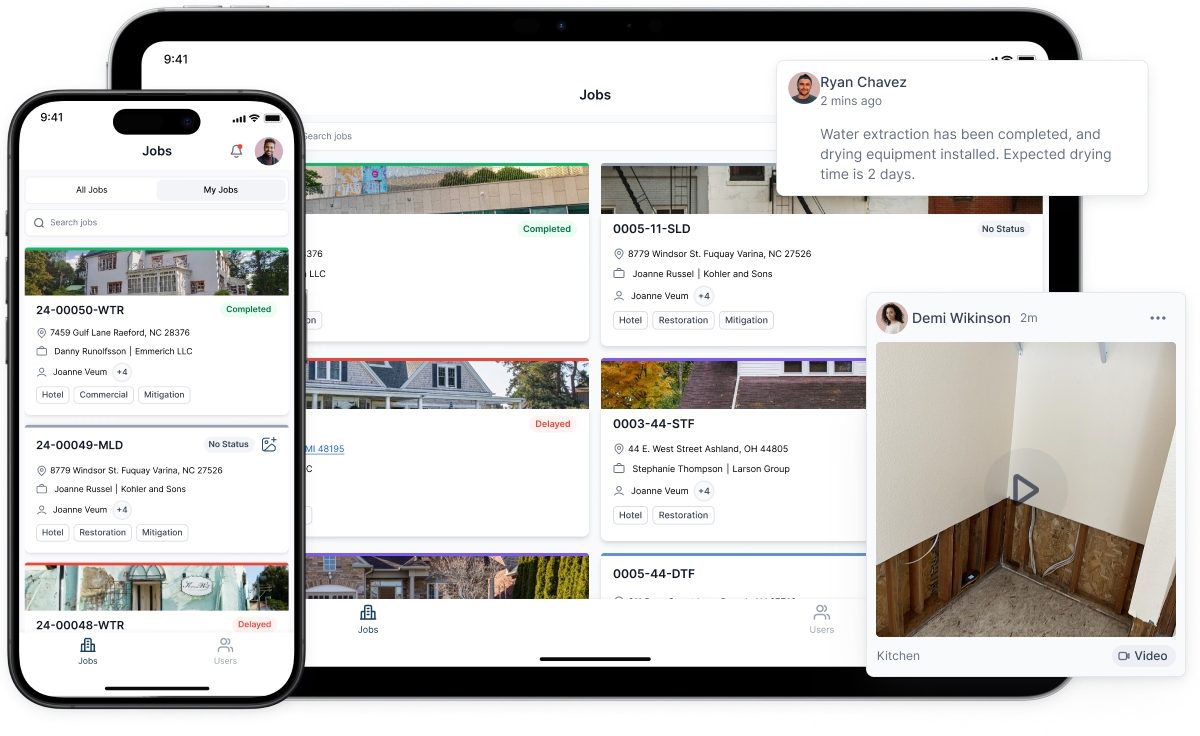
Strip away the vendor language and the core function is coordination: making sure the right person has the right information at the right moment without a phone call to retrieve it. That breaks into four distinct operational layers.
Job and document management keeps every photo, certificate, authorization form, and subcontractor agreement attached to a single job record. Anyone on the team — or the adjuster — can pull the file without hunting through email. On a multi-day water loss, this alone eliminates the "I thought you had it" conversations that stall approvals.
Scheduling and dispatch maps technician availability against open jobs in real time. When a pipe bursts at 11 p.m. and you have three crews already mid-job, the dispatcher sees exactly who has capacity and where they are. Some platforms integrate with GPS; others simply show shift schedules. Either way, the decision takes minutes instead of a round of calls.
Estimating integration connects field data directly to your pricing tool. For most carriers, that means Xactimate. A technician who sketches a room, logs equipment, and records moisture readings in the field app can have that data feeding an estimate draft before they leave the property — rather than handing off handwritten notes that an office estimator has to decode the next morning.
Communication and CRM functions track every touchpoint with the property owner, the adjuster, and the referring plumber or agent. A purpose-built restoration CRM records not just job history but referral sources, follow-up tasks, and customer satisfaction data. That history is what turns a one-time emergency call into a preferred-vendor relationship with an insurance agent who sends you six jobs a year.
Where Xactimate Estimates Fit Into the Workflow
Xactimate is not restoration management software — it is an estimating tool. The distinction matters because companies sometimes treat it as a job management system and end up with a fragmented workflow. Xactimate's strength is producing carrier-accepted line-item estimates with defensible pricing. Its weakness is that it was not designed to track equipment logs, manage subcontractor schedules, or send automated status updates to homeowners.
The most efficient operations use a management platform as the operational record and push data to Xactimate for the estimate. When a technician logs affected materials, room dimensions, and equipment placement in the field, a well-integrated system populates the restoration scope in Xactimate rather than requiring a separate data-entry session. That single handoff — from field observation to formatted estimate — is where most of the time savings actually live.
The rise of the remote xactimate estimate has added another layer. Carriers and third-party estimating firms now routinely scope losses from photos, floor plans, and moisture data submitted through the management platform rather than sending an adjuster to the property. For that workflow to produce accurate, approvable estimates, the field documentation has to be complete and structured. A technician who uploads 40 unlabeled photos and a rough sketch creates hours of back-and-forth. A technician who uploads tagged photos, a dimensioned floor plan, and a full moisture map gives the remote estimator everything needed to produce a defensible scope in a single session. The management software is what makes that structured documentation practical at the field level.
Water Damage Logs: The Documentation Nobody Wants to Do and Everyone Needs
Psychrometric data — temperature, relative humidity, moisture content readings at each monitoring point — is the backbone of every drying claim. Carriers use it to verify that equipment was necessary, that drying progressed appropriately, and that the job was not padded with extra days. Without complete water damage logs, adjusters can and do cut equipment line items. With them, the same adjuster has nothing to dispute.
Manual logging on paper forms is the norm at a surprising number of companies, even large ones. The problem is not just efficiency — it is accuracy and completeness. A technician skipping a monitoring point at 9 p.m. because the form is in the truck is a documentation gap that can cost $400 to $600 on a single equipment day. Multiply that across 30 jobs a month and the math gets uncomfortable quickly.
Software-based logging, whether through a dedicated drying app or a module in the management platform, enforces completeness. The technician cannot submit the daily log without readings at every required point. The data timestamps automatically. And when the adjuster asks for the drying record, it exports as a formatted report rather than a stack of scanned paper. Some platforms also flag anomalous readings — a humidity spike on day three, for example — so the project manager can investigate before the job closes rather than explaining it during a supplement dispute.
The CRM Layer Most Restoration Companies Underuse
Emergency response is a referral-driven business. A homeowner who calls you directly is relatively rare; most losses come through an insurance agent, a plumber, a property manager, or a preferred-vendor program. The restoration CRM is where those relationships live — or where they should live.
In practice, many companies buy a management platform for its job-tracking features and ignore the CRM entirely, continuing to manage referral relationships through the owner's personal contacts and memory. That works until the owner is unavailable, a salesperson leaves and takes their contacts, or the company tries to analyze which referral sources are actually profitable.
A functioning restoration CRM tracks every referral source by job, revenue, and cycle time. It schedules follow-up calls after job completion. It records which insurance agents are on which preferred-vendor programs and when those certifications need renewal. Over 12 months, that data tells you exactly where your revenue comes from and which relationships deserve more attention — not as a feeling, but as a number.
Some platforms extend this into restoration marketing software features: automated review requests sent to homeowners after job close, drip email sequences for agents who haven't referred in 90 days, and campaign tracking that ties a marketing spend to actual closed jobs. These features are worth having if your company has someone who will actually use them. If not, they add cost without return.
Evaluating Platforms: Four Questions That Cut Through the Demo
Every platform looks capable in a sales demo. The questions that reveal real-world fit are the ones vendors are less prepared for.
How does field data reach the Xactimate estimate? Ask for a live demonstration of the path from a technician's field entry to a populated Xactimate scope. If the answer involves manual re-entry at any point, that is a workflow cost you will pay every day.
What does the water damage log export look like? Request a sample drying report as it would appear to an adjuster. Formatting, completeness, and readability matter. A report that requires explanation is a report that invites disputes.
How does the mobile app perform without reliable connectivity? Restoration work happens in basements, crawl spaces, and rural properties. A field app that requires a strong signal to save data is not a field app — it is a liability.
What does onboarding actually involve? Ask for the names of two or three companies similar to yours who went live in the last 18 months and call them. Implementation failure is the most common reason companies abandon software after six months. The vendor's onboarding process is not a formality — it is a significant part of what you are paying for.
The Realistic Timeline for Seeing Returns
Expect the first 60 days to be slower, not faster. Staff are learning new inputs, old habits resist change, and some processes will need to be rebuilt around the software rather than layered on top of existing ones. Companies that push through this period consistently report measurable improvements by month three: fewer documentation disputes, faster estimate turnaround, and a cleaner picture of job profitability by loss type. Companies that abandon the platform at day 45 because "it's adding work" almost always return to the same coordination problems that cost them time before.
Set a specific target before you buy: a 20% reduction in days-to-invoice, a 15% improvement in supplement approval rates, or a measurable increase in referrals tracked through the CRM. Without a defined benchmark, you cannot evaluate whether the software is working — and you cannot hold the vendor accountable if it is not.


